Click images for larger view.
|
|
|
| |
- Unparalleled ease of use for a municipal software application. Allows opening of multiple windows at one time.
- Uses Kentucky DLG Uniform System of Accounts.
- Integrated accounts, budget, cash receipts, vendor claims, G/L, all in one package.
- Governmental and Public Properties fund types all within same database.
- Multiple Password options for individual tasks to assist in Separation of Job Duties requirements
*** IMPORTANT ***
As the tables within each application are encrypted (to protect personal information), DO NOT try to open these tables from another application, or you will corrupt the headers of the tables. This may require you to restore from a backup, or you may have to pay for table repair (if it's even possible). So, please do not try to open any table from another program.
|
| |
|
| |
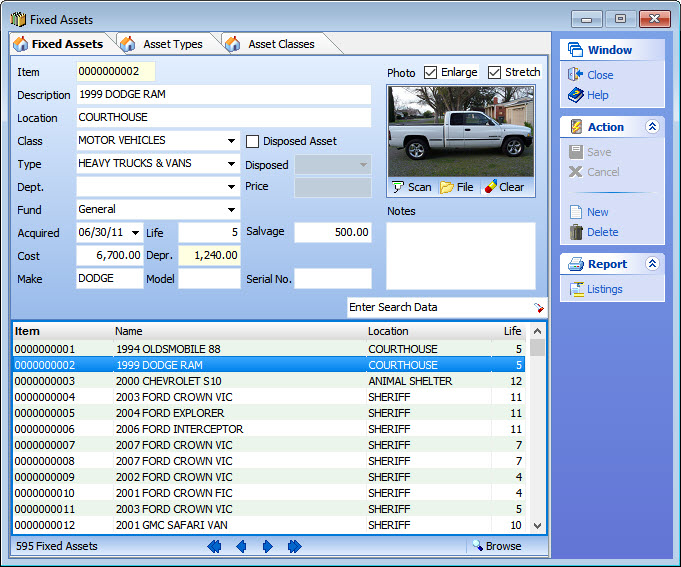
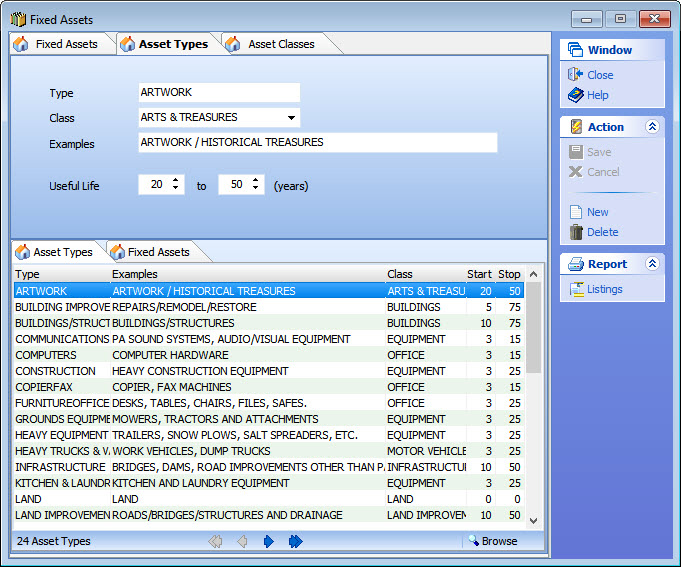
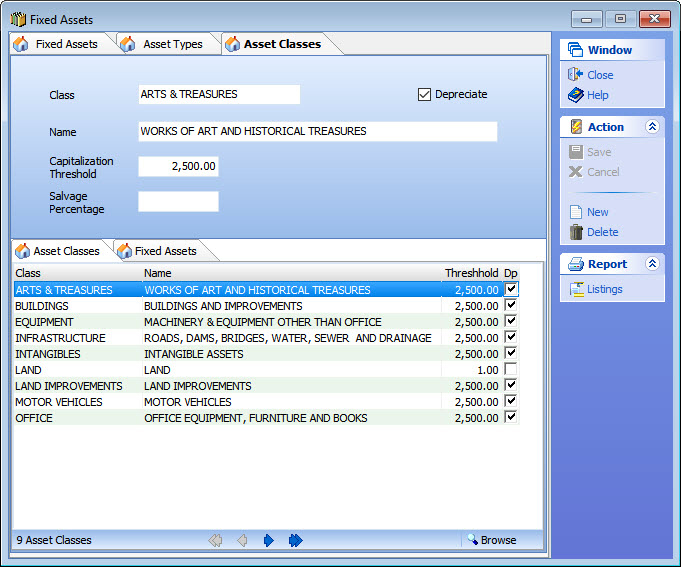
- Ability to customize Asset Types and Asset Classes based on Useful Life, Capitalization Thresholds and Salvage Values adopted by Fiscal Court.
- Maintain all asset records within FiscalBooks eliminating need for additional spreadsheets.
- Depreciation and current values are automatically updated by fiscal year.
- A number of reports for fixed assets are available, including fiscal year additions and deletions as required for annual audits.
- Ability to scan photos of assets into each record.
- Enter data on disposal of assets with date and disposal amount for each record.
Fixed Assets Window/Reports
| |
|
| Click on Image for larger view of window. |
| |
|
| |
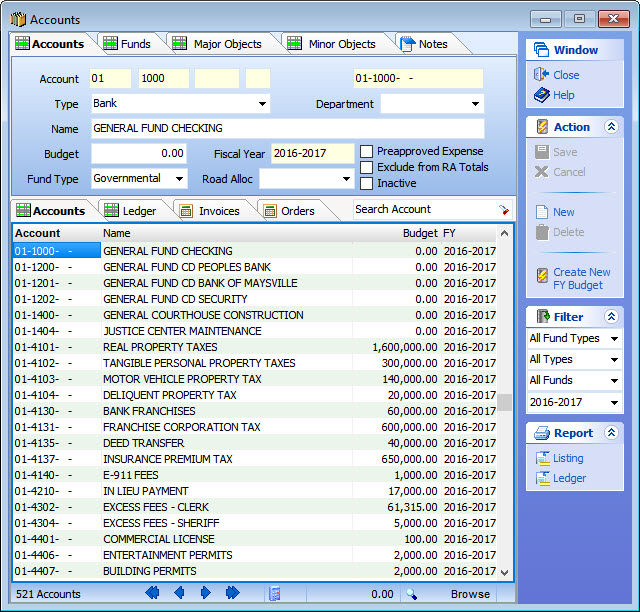
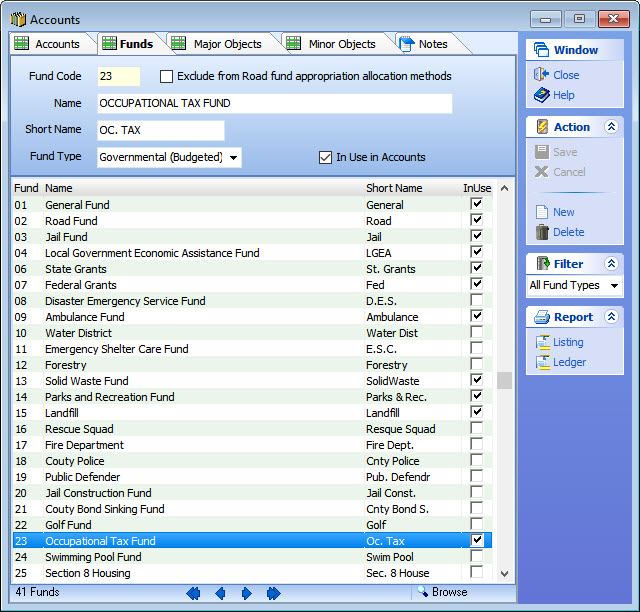
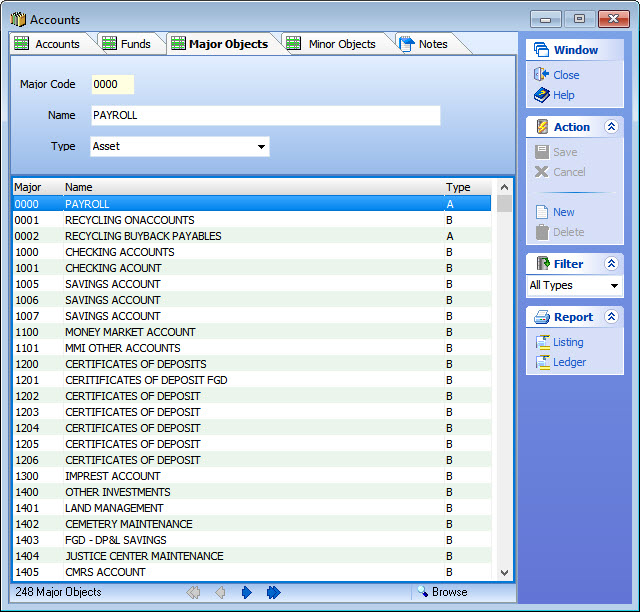
- Build your Chart of Accounts from Fund, Major and Minor Object codes defined by your state. Utilize extended account “modifier” codes to create sub accounts to track grants and special projects activity.
- Governmental and Public Properties fund types all within same database
- Access all transactions posted to a specific account directly from the Accounts window through the ledger, invoices and purchase orders tabs.
- Select accounts authorized for pre-approved payment and print Standing Order from the Reports menu.
- Set up Road Cost Allocation information and print worksheet from Reports menu.
- Filter accounts in the Accounts window by fund, fund type, account type, or fiscal year.
- Print account listings and ledgers directly from the Accounts window.
Chart of Accounts Window/Reports
| |
|
Click on Image for larger view of window. |
| |
|
| |
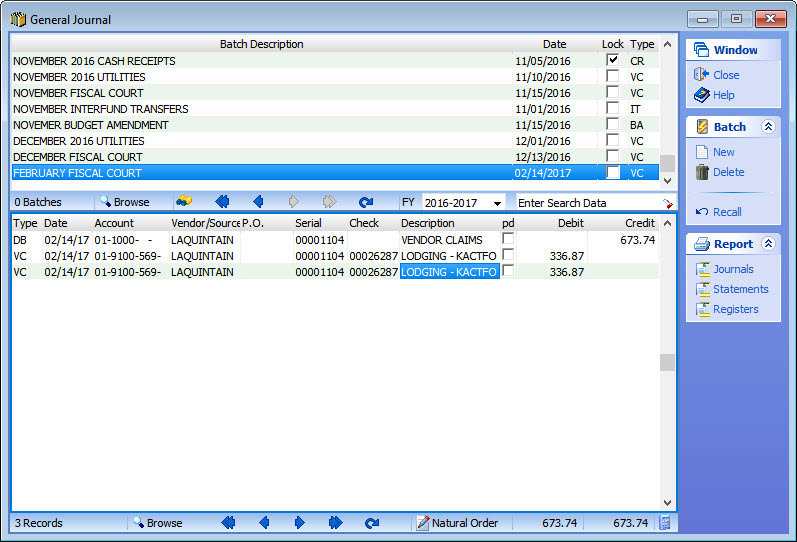
- The General Journal window allows you to see every debit and credit in your system! All transactions are grouped by a unique batch number.
- You can also perform data entry directly from this window, without using any of the pre-built data entry windows (e.g. Vendor Claims, Cash receipts, Budget Amendments, etc).
- Search for transactions in any batch by clicking the Search button in all data windows.
General Journal Window/Reports
| |
|
|
Click on Image for larger view of window. |
| |
|
| |
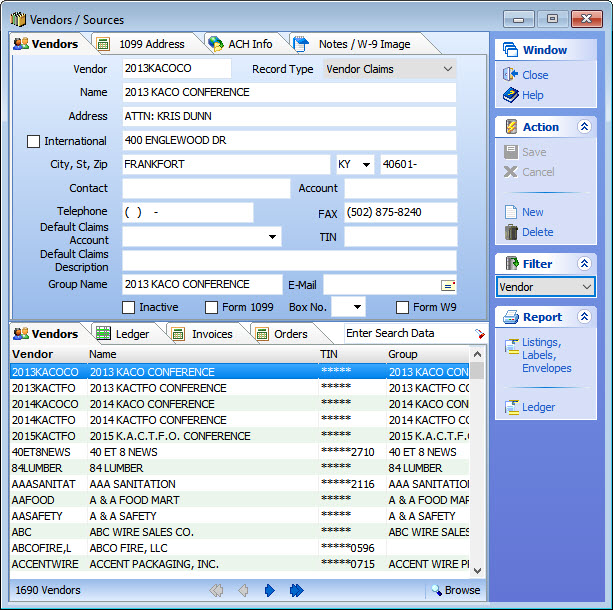
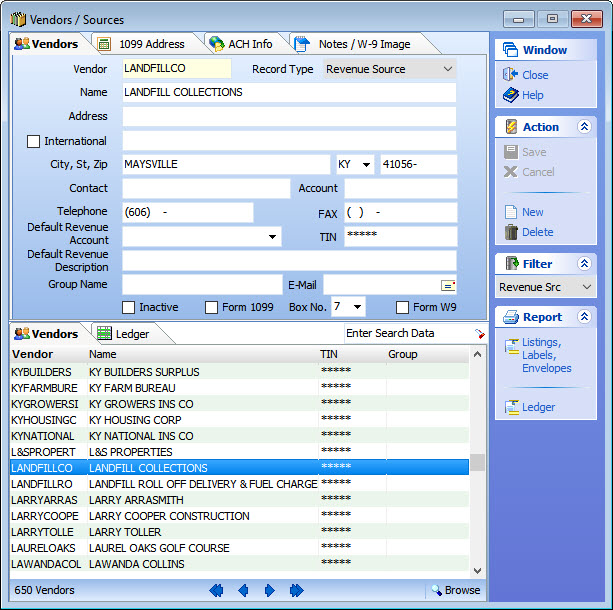
- Maintain database of unlimited number of vendors and revenue sources, including inactive vendors/revenue sources
- Designate 1099 status for vendors
- Scan and attach vendors' Form W-9 to their records
- Enter default account numbers and descriptions for vendors and revenue sources which will be automatically populated on any transactions for that particular vendor/revenue source
- Access all previous transactions for a vendor/revenue source from the Vendors/Sources window
- Print ledgers, listings, mailing labels and envelopes from the Vendors/Sources window
Vendors/Sources Window/Reports
|
| |
|
|
Click on Images for larger view of window. |
| |
|
| |
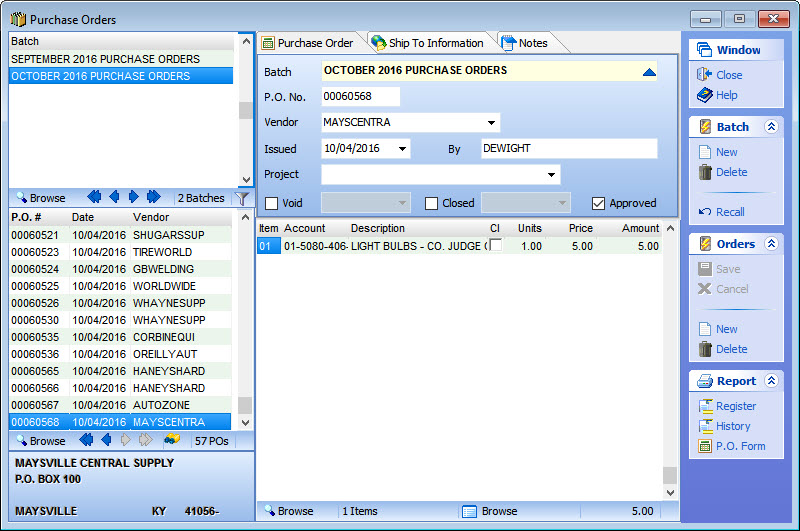
- Purchase Order System allows for manual or automatic numbering and approval of each purchase order
- Purchase orders are automatically closed upon payment of the claim to which the purchase order is attached
- Each purchase order is tied to the applicable vendor claim and invoice
- Purchase order forms and registers can be printed directly from the Purchase Order window
- Purchase orders can be created directly from an invoice in the Invoices window
Purchase Orders Window/Reports
| |
|
|
Click on Image for larger view of window. |
| |
|
| |
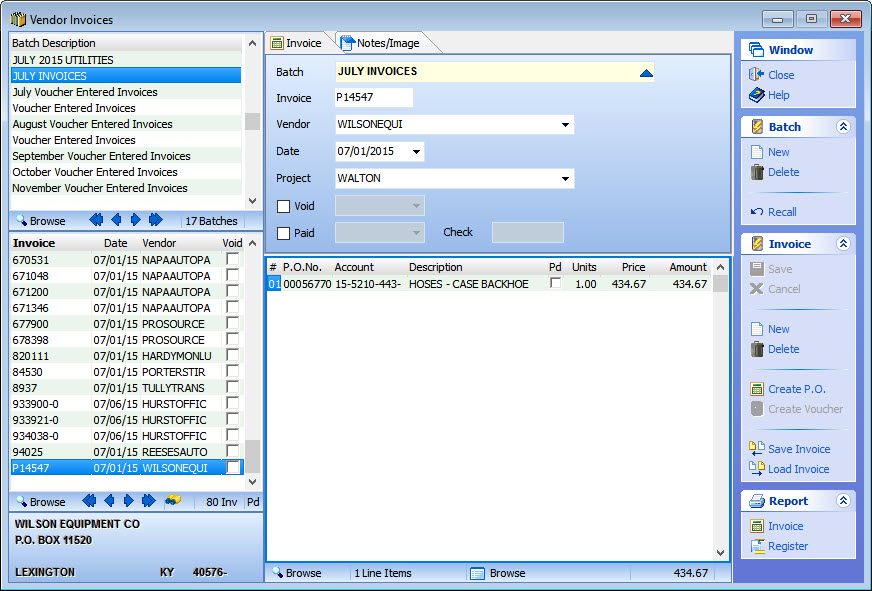
- Enter invoice information and the system will automatically prepare your vendor claims either individually or as a group
- Invoices can be scanned into the invoice window
- Invoice numbers are saved by vendor as a safeguard against duplicate payment of invoices
- Invoice information can be populated from previously entered purchase orders
- Recurring invoices can be saved and reloaded for future use
- Invoices are automatically closed upon payment of the claims to which the invoice is attached
- Invoices and registers can be printed directly from the Invoice window
Vendor Invoices Window/Reports
| |
|
|
Click on Image for larger view of window. |
| |
| |
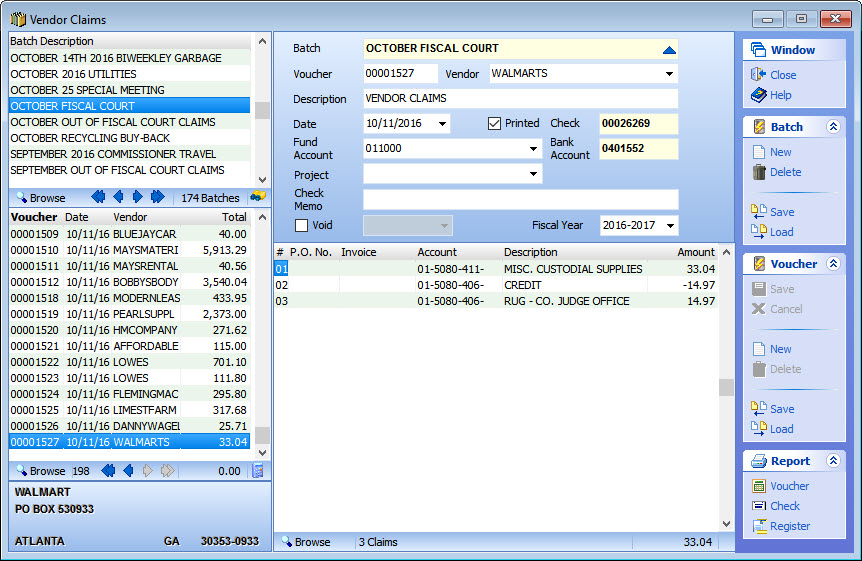
- Prepare vendor claims automatically from invoices or manually enter claims
- Claims information can be populated from previously entered purchase orders or invoices
- Print an individual check directly from the claims window or print a group of checks at one time
- Vendor claims vouchers and registers can be printed directly from Vendor Claims window
- Claims are automatically marked paid upon printing check
- Recurring individual claims and claims batches can be saved and reloaded for future use
Vendor Claims Window/Reports
| |
|
|
Click on Image for larger view of window. |
| |
| |
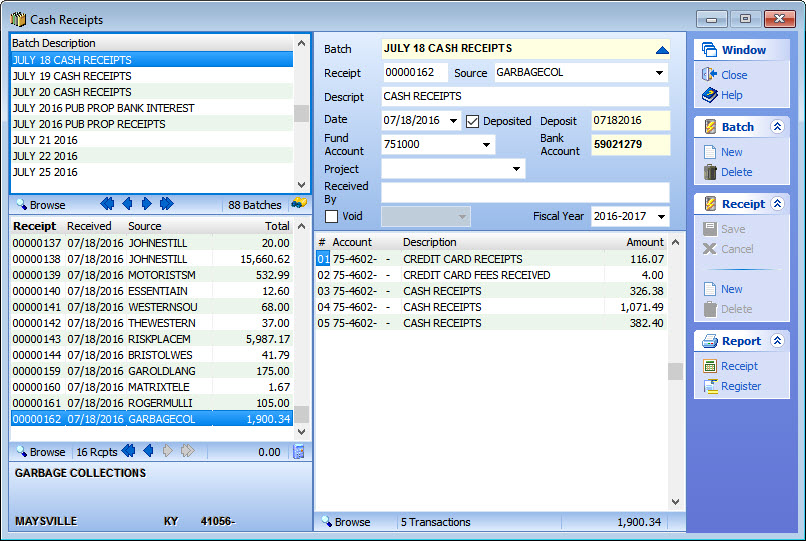
- Ability to Post to Individual Revenue Sources allowing retrieval of information specific to that Revenue Source
- Mark receipts deposited in Cash Receipts window or use password-protected Make Deposits options to ensure segregation of duties and internal controls.
- Designate Projects and Grants for ease in reporting.
- Print triplicate cash receipt directly from the Cash Receipts Window.
- Print cash receipt registers directly from the Cash Receipts Window.
Cash Receipts Window/Reports
| |
|
|
Click on Image for larger view of window. |
| |
|
| |
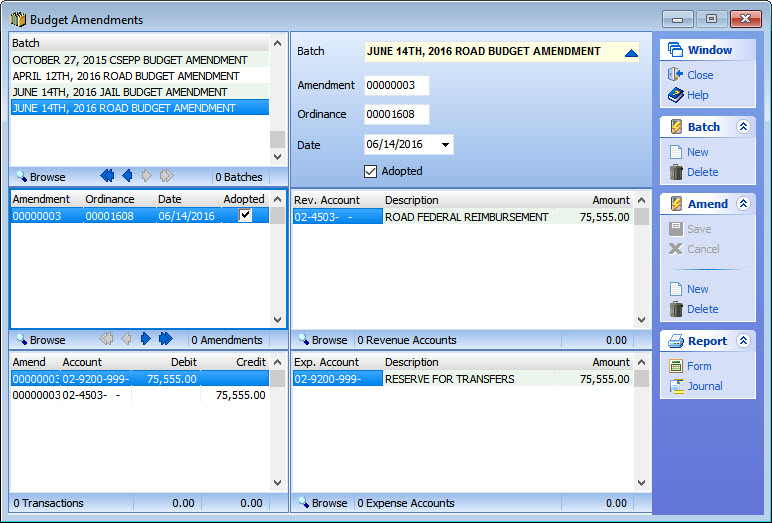
- Amend your current fiscal year budget easily and accurately using the built-in Budget Amendments window.
- Prints Budget Amendment form as well as Emergency Amendment form.
- Track budget amendments by entering unique Amendment and Ordinance number.
- Print an amendment journal directly from the Budget Amendments window
- Print Budget Amendment Ordinance for fiscal court and state approval from the Budget Amendments window.
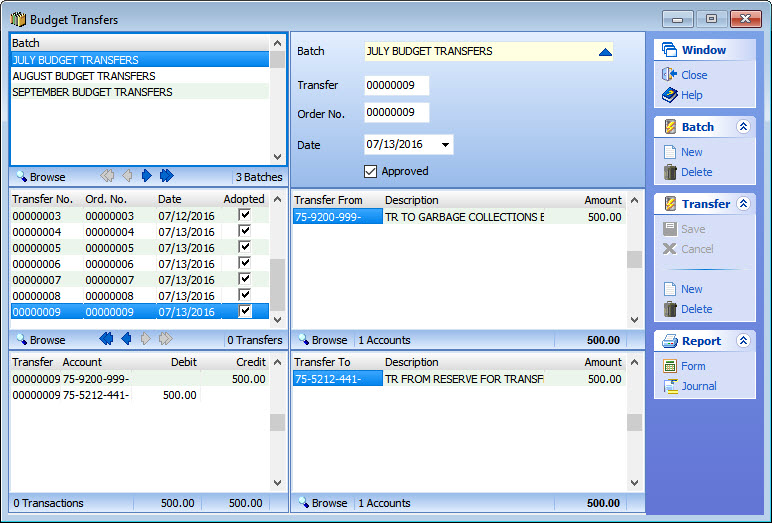
- Budget Transfers are also easily and accurately entered via this Activities menu item window.
- Make budget transfers between line items accounts within the same fund or between funds.
- Enter as many transfers as you want in a single batch!
- Budget Transfers in FiscalBooks are just the opposite of actual transactions: Debits decrease account budget balances and Credits increase available budget.
Budget Amendments/Transfers/Reports
|
| |
|
|
Click on Images for larger view of window. |
| |
|
| |
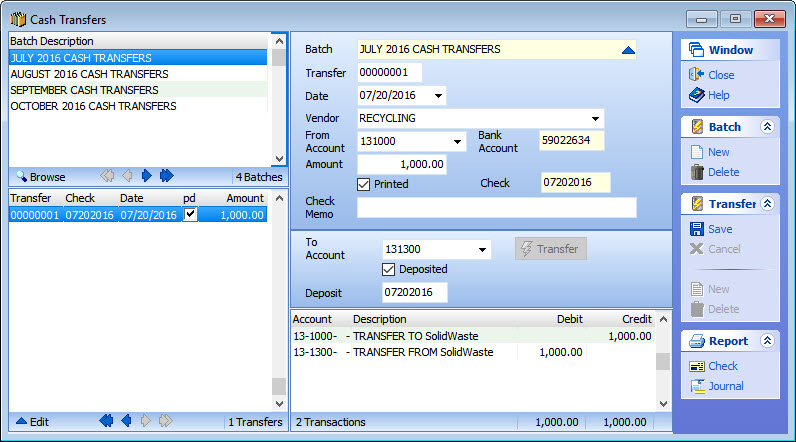
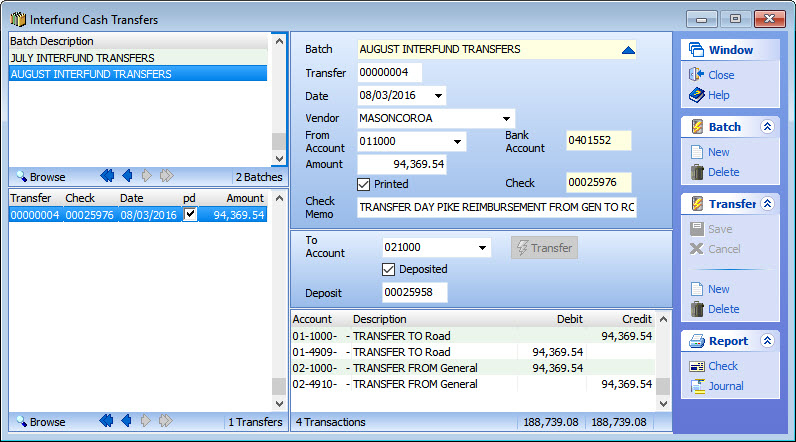
- Easily enter budget, cash and interfund transfers.
- A separate window is provided for each type of transfer.
- Transfer cash from one asset account to another within the same fund or between funds.
- Track transfers with a unique transfer number.
- Enter multiple transfers of the same type within a single batch or use multiple batches.
- Each transfer window uses “To” and “From” fields to simplify the data entry process.
- Print a specific transfer journal from each type of transfer window.
- Print a check for Cash or Interfund Transfers directly from the Transfer window.
- Each transfer window uses “To” and “From” fields to simplify the data entry process.
- Transfer cash from one fund to another.
- All applicable 4909 and 4910 account transactions, as well as asset account transactions, are automatically prepared upon clicking "Transfer".
Cash/Interfund Transfers/Reports
|
| |
|
|
Click on Images for larger view of window. |
| |
|
| |
| FiscalBooks is a true Client/Server application taking advantage of the Advantage Database Server and the performance, database integrity, and database security expected in client/server systems. |
| |
|
|